Supervising In-Person
Behaview allows in-person supervision with mobile devices, and automatically syncs it with the platform as data is taken. It provides a single page of everything the supervisor needs to know about the supervisee and session, as well as a streamlined approach to data taking.
Overview of Supervisee and Session
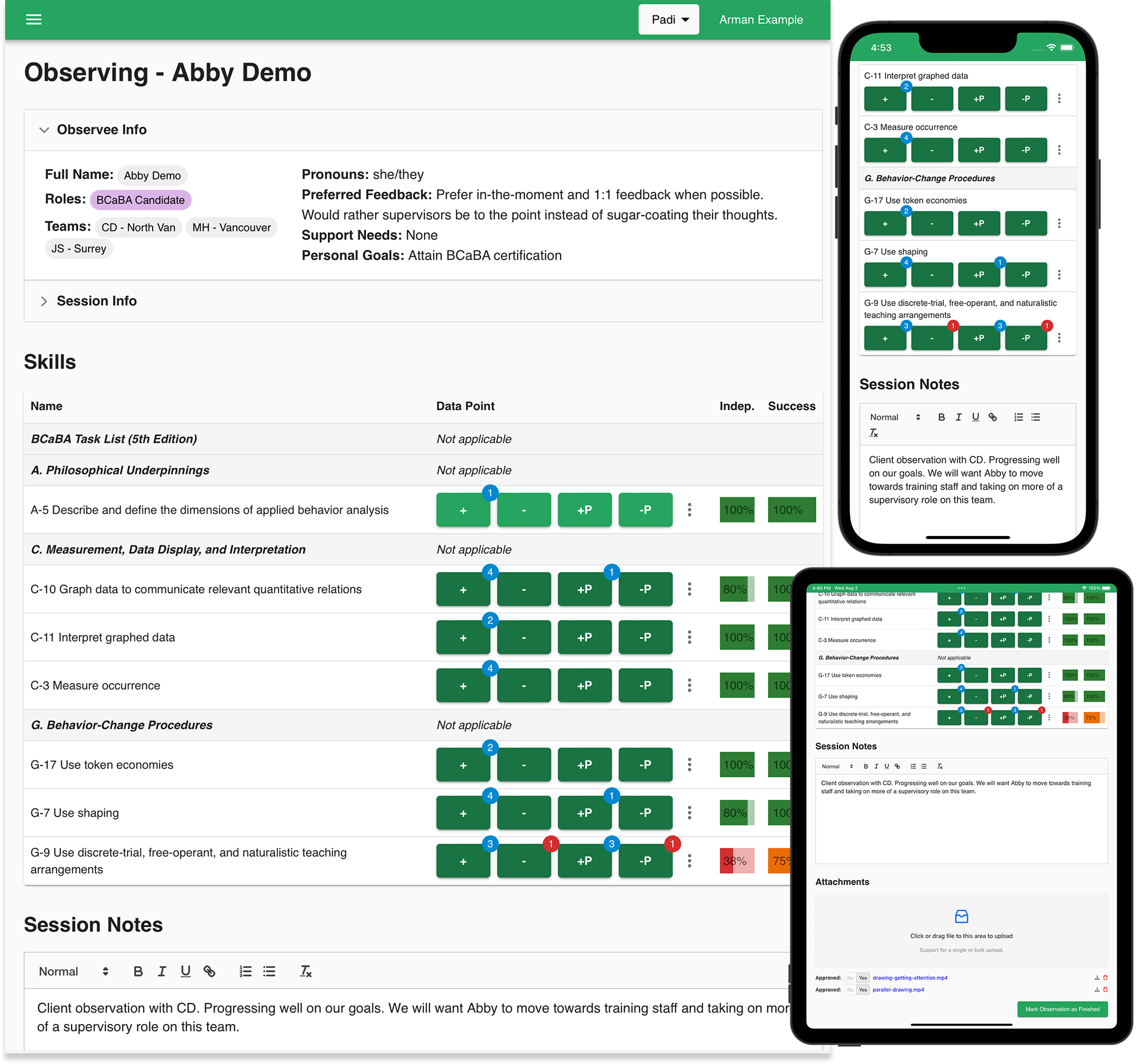
The top of the page provides an overview of the supervisee and session so that the supervisor can quickly get up to speed on the session. Session Info section remains editable until the session is marked as completed.
If you have configured custom fields for Session Plans to be filled out, they will appear here as well. A default set of custom fields are provided out of the box for BACB purposes, which you can remove if not required.
Taking Data
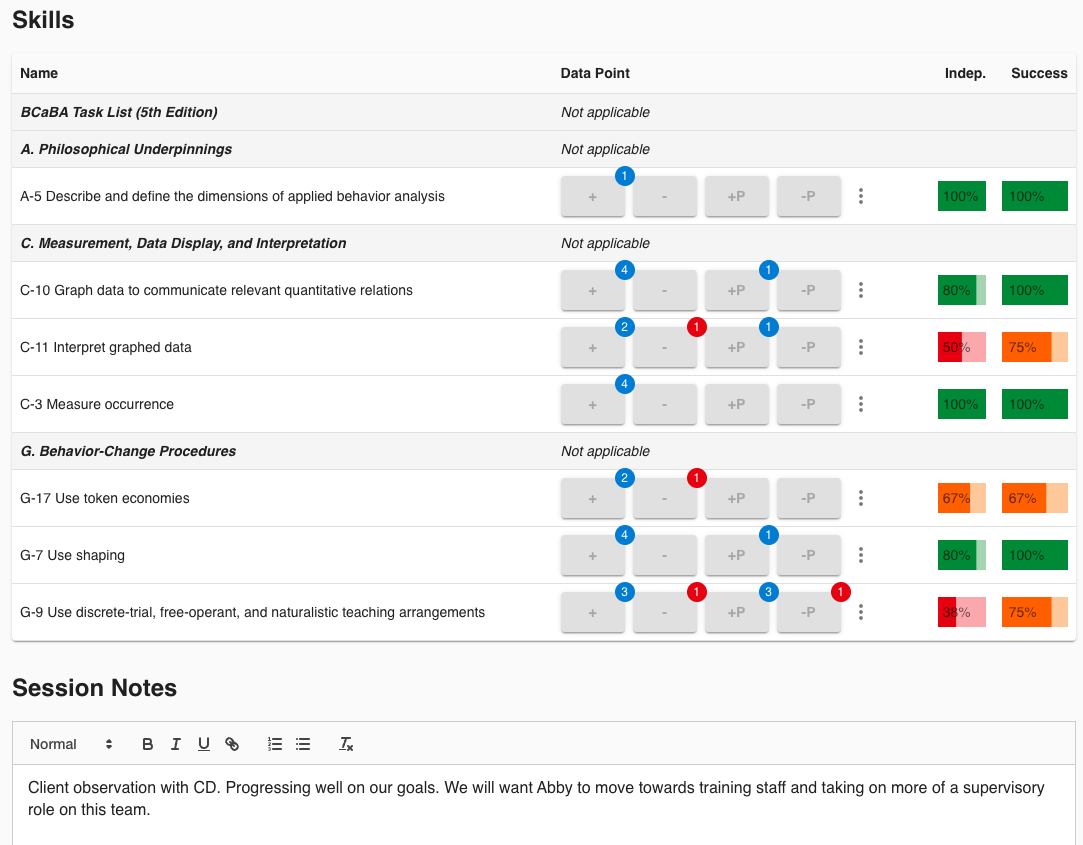
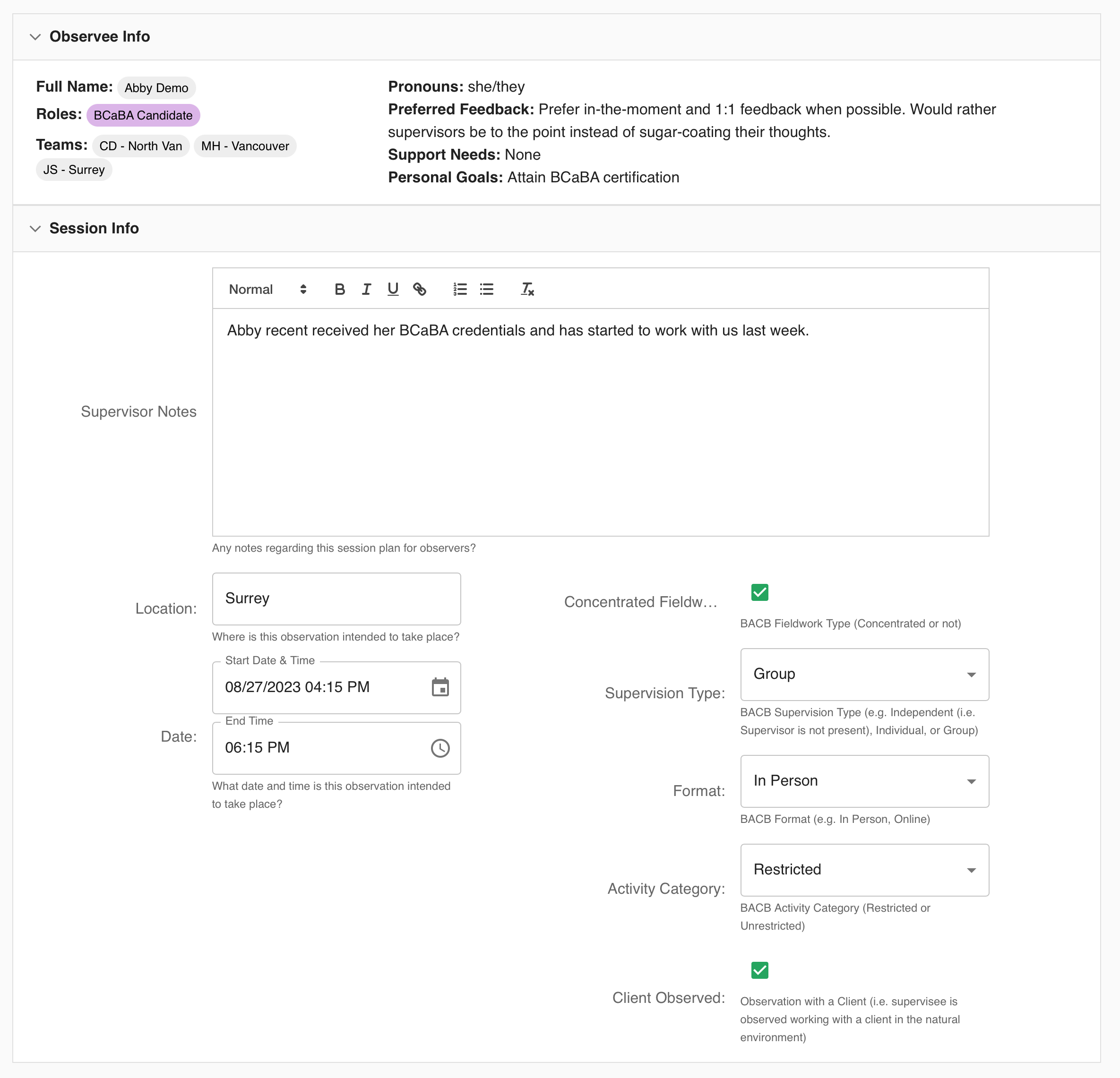
The Skills assigned to the Session Plan appear here, and with different data taking controls/buttons based on the Skill type. As you take data, visuals are updated in real-time to provide you with a quick overview of the Skill’s progression.
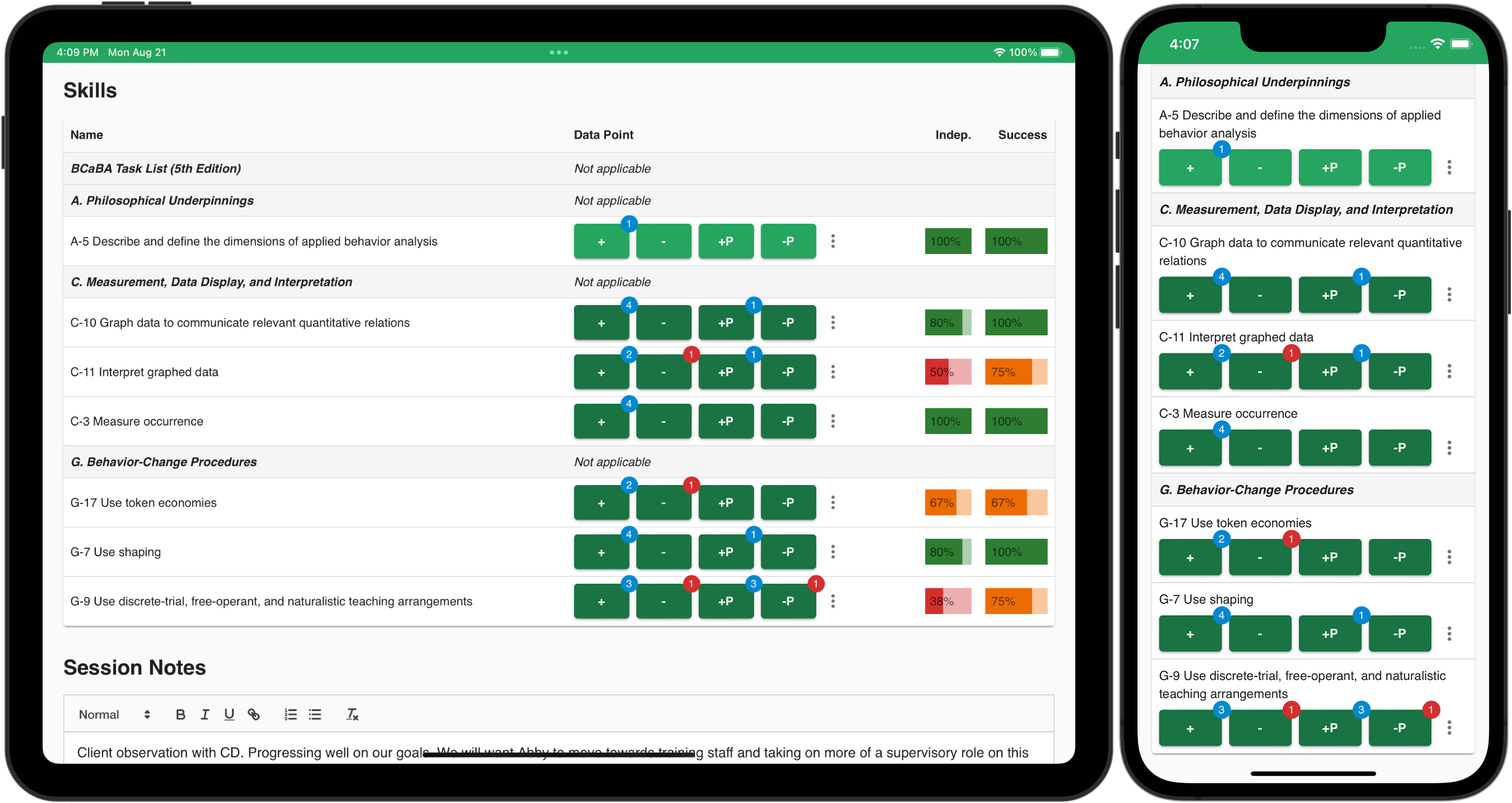
For any qualitative data, you can add notes at the bottom.
Attachments & Consent
If required, you can upload attachments to the Session Plan for reference. However, Behaview goes beyond basic file attachments and caters to ABA needs.
Explicit Approval
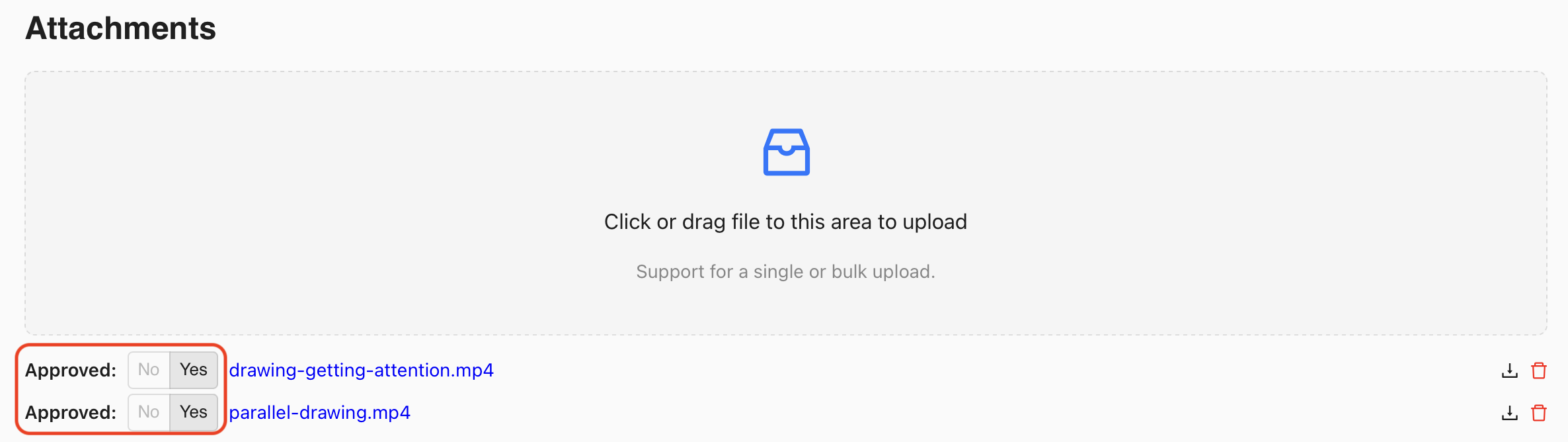
Per attachment, an explicit approval by the uploader of the attachment must be granted. This is to separate the two steps of:
- Gathering meaningful data for supervision purposes
- Confirming consent and content of the data to be shared
The reason behind the separation is to ensure Behaview can safely hold onto your data (and not other non-sanctioned software) while you validate with e.g. client’s guardians, or review the content of the attachment, before it is made visible to other permitted users in your organization (i.e. others with ability to see supervisions).
As such, for each attachment, the uploader must click “Yes” to Approve sharing the attachment with other permitted users in the organization.
Video Commenting
For video attachments, Behaview provides a commenting system that allows you to comment on specific points in the video. This is particularly beneficial for remote supervisions where supervisees can upload videos and receive feedback from supervisors asynchronously. You can read further about this in Supervising Remotely page.
Sharing Feedback
Until a session is marked as finished, the supervisee cannot see what Skills they were being assessed on.

Once you are done with the supervision, you can mark the Session Plan as finished. This will make the Session Plan read-only, but does not yet share the results with the supervisee.
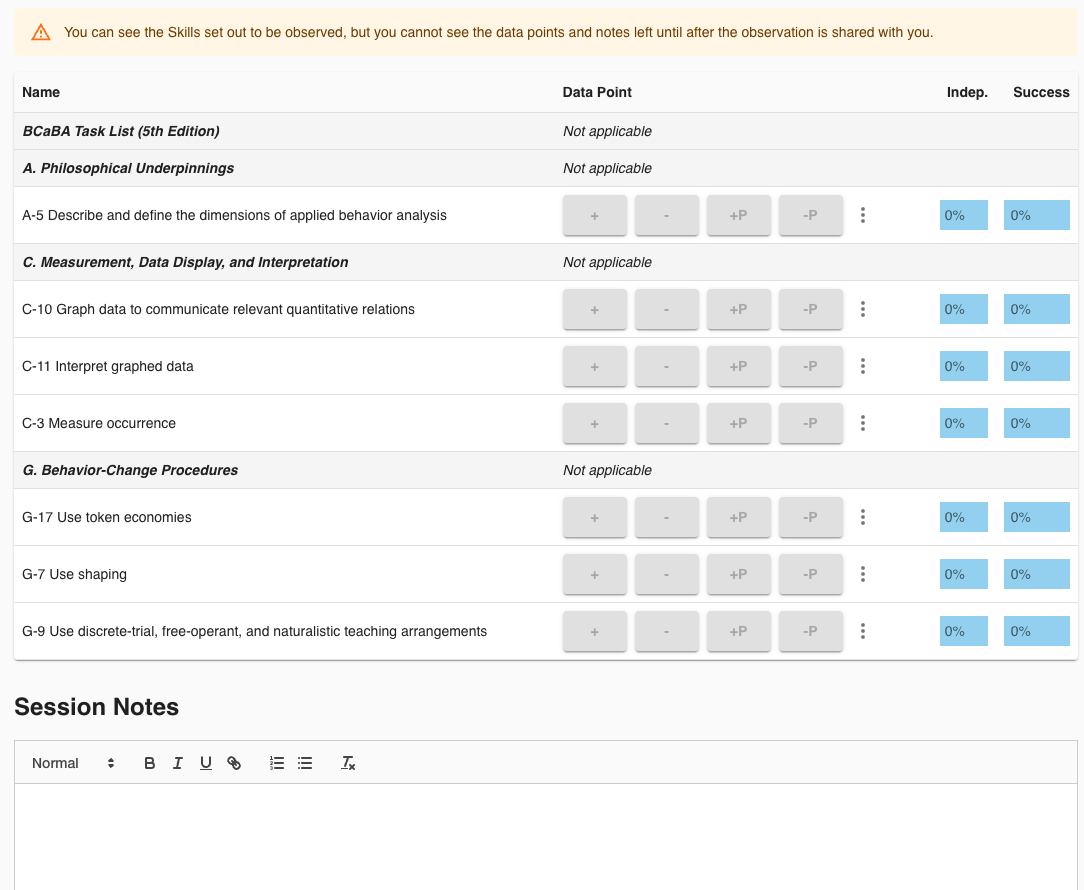
Once you are ready to share, you can click on the Share checkbox, which will then enable the supervisee to see all aspects of the supervision.