
Inviting Staff & Supervisees
Behaview supports two distinct types of users:
- Users with Behaview Accounts - most collaborative option, enabling users to login and interact with the data they have access to
- Users without Behaview Accounts - limited option, but useful for tracking data for individuals without inviting them to Behaview
Typically, you’ll want your team to have Behaview accounts as it makes it easier to notify them and share data with them.
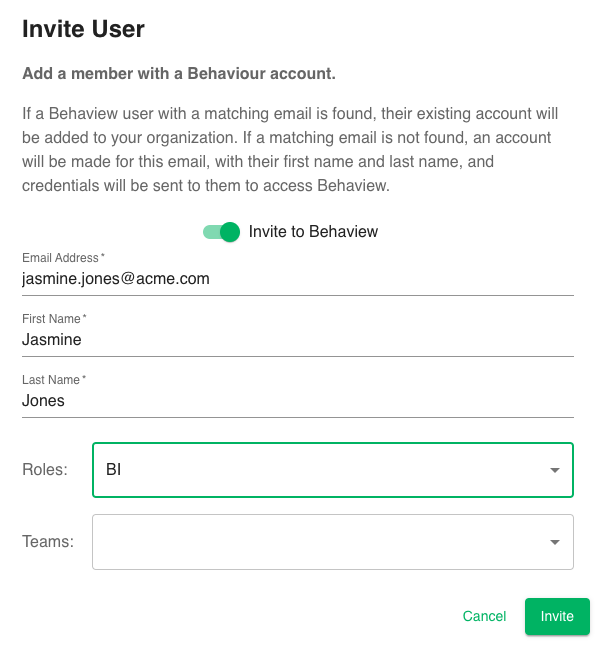
Inviting using Behaview Accounts
Inside the Staff page, you can invite individuals to collaborate with you. If you invite them to Behaview (recommended), it’ll link with that individual’s Behaview account (if it exists), or it’ll create a new account and invite them in. You can set up the appropriate Roles and Teams to get them started quickly.
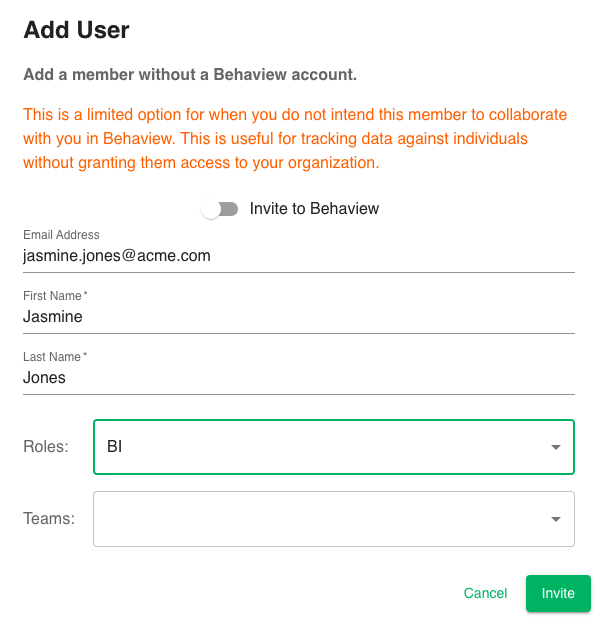
Inviting without Behaview Accounts
Alternatively, if you want them in your organization so you can track data for them, without notifying them or needing to collaborate with them, you can add them without an invitation.
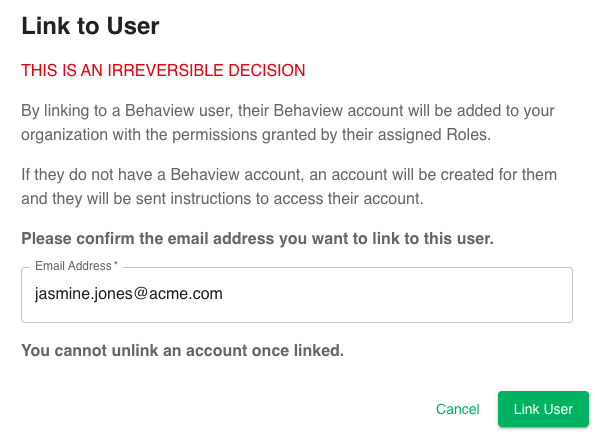
Linking to a Behaview Account
If you ever want to start collaborating with a user that was added without a Behaview account, you can link the user to a Behaview account. You will want to navigate to their Staff page, and click Link User.
Deleting vs. Disabling a User
If you ever need to offboard a user or staff, you’ll want to disable their account.
Disabling users ensures all activities and data associated to the user remains intact, while preventing the user any future access to your organization.
Deleting users requires that you first disassociate any data with the user. This can be useful in the early stages when setting up an organization and an adjustment is required. However, once data has been associated to the user, disabling is the suggested mechanism.